
Have you ever wanted to start your own podcast but didn’t know where to begin? Look no further than “Podcasting 101: From Setup to Publish in 10 mins” by Income School. This video tutorial covers everything you need to know, from the equipment required (microphone, sound recorder, computer/laptop, and optional smartphone/tablet) to the step-by-step process of setting up and publishing your podcast. You’ll learn how to connect your microphone to the sound recorder and computer, conduct Skype interviews using an audio cable, and even add intro music and listener questions using a sound card app on your smartphone or tablet. The video goes on to explain post-processing using Auphonic for audio enhancement and the final step of publishing your podcast episode, including creating an RSS feed and using a media host like Libsyn. If you’ve always wanted to share your thoughts and ideas through podcasting, this tutorial is the perfect guide to get you started in just 10 minutes.
Podcasting Setup
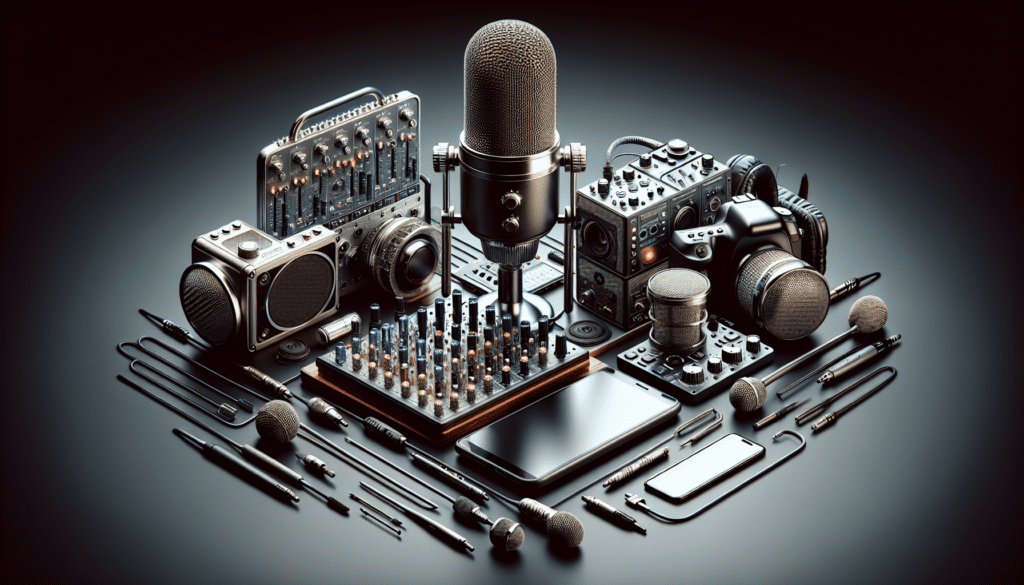
To start your podcasting journey, you’ll need to gather a few necessary equipment. First and foremost, you’ll need a microphone, a sound recorder, and a computer or laptop. These are the basic tools that will allow you to capture high-quality audio for your podcast. Additionally, you may choose to use a smartphone or tablet, which is optional but can be useful for adding intro music or listener questions.
When setting up your podcasting equipment, it’s important to connect the microphone to the sound recorder and computer properly. Use a high-quality cable to ensure clear and uninterrupted audio. Avoid using cheap cables that may cause interference or background noise. By using the right cables and connections, you’ll be able to achieve a clean and professional sound.
For conducting Skype interviews, you can connect your computer’s headphone jack to the sound recorder. This setup allows the audio from Skype to be directly recorded into the sound recorder. It is important to avoid using software on the computer to record Skype calls, as it can lead to technical glitches and crashes. By using the headphone jack method, you can ensure that your interviews go smoothly without any unexpected audio issues.
If you choose to use a smartphone or tablet for intro music and questions, you can load an app called a sound card app. This app allows you to easily access and play your intro music or any recorded listener questions during your podcast. This setup can make the process more convenient and seamless, as you can control and play these elements directly from the sound card app. Whether you use a smartphone, tablet, or computer, make sure to be aware of any potential audio quality issues and use headphones to monitor the sound.
Recording the Podcast
Once your setup is complete, it’s time to start recording your podcast. The recording process can be broken down into several steps, each of which is important for achieving a high-quality podcast episode. Here is a step-by-step guide:
- Prepare your content: Outline or script your episode to ensure a smooth flow of conversation or topics.
- Set up your recording space: Find a quiet and controlled environment where you can record without external noise distractions.
- Test your equipment: Before recording, check that your microphone, sound recorder, and computer are all working properly.
- Start recording: Hit the record button on your sound recorder and begin speaking or conducting your interview.
- Monitor audio levels: Keep an eye on the sound recorder’s level indicators to ensure that the audio is within the optimal range.
- Pause when necessary: Take breaks or pauses if needed during the recording process.
- Edit when needed: If you make mistakes or stumble during the recording, pause and restart instead of editing it later to maintain natural flow.
- Save and store your recorded files: Once you’re satisfied with the recording, save the audio files onto a memory card or directly transfer them to your computer for post-processing.
If you’re conducting Skype interviews, make sure to have a stable internet connection and use headphones to avoid audio feedback. By following these steps, you’ll be able to record your podcast with ease and confidence.
Post-Processing the Audio
After recording your podcast episode, it’s time to post-process the audio to enhance its quality. The first step is to transfer the recorded audio file from the sound recorder to your computer. You can either remove the memory card from the sound recorder and insert it into your computer’s card reader or connect the sound recorder directly to your computer using a USB cable. Once the audio file is on your computer, you can proceed with post-processing.
One recommended tool for audio enhancement is Auphonic. Auphonic is an online platform that provides automatic audio post-production and optimization. To use Auphonic, upload your recorded audio file, and the platform will perform various processes to enhance the audio quality. These processes include loudness normalization, leveling, and noise reduction. Once the post-processing is complete, you can download the enhanced audio file and save it for further steps.
Publishing the Podcast Episode
Publishing your podcast episode involves creating an RSS feed and selecting a media host. An RSS feed is a file that contains information about your podcast, including the episode details and download links. It allows subscribers to receive updates and new episodes automatically. When it comes to media hosting, it is recommended to use a specialized media host like Libsyn. Media hosts provide the infrastructure and tools to store and deliver your podcast episodes to various platforms.
To create an RSS feed, you can utilize a plugin like PowerPress if you’re using WordPress. PowerPress simplifies the process by allowing you to set up your podcast’s settings and generate the RSS feed without the need for coding. Once your RSS feed is set up, you can link it to your media host, such as Libsyn.
It is advised not to let the media host manage your RSS feed. By having control over your RSS feed, you can easily switch media hosts in the future without losing your subscribers. Keeping the RSS feed separate from the media host ensures that you have more flexibility and ownership over your podcast’s distribution.
Uploading and Publishing Episode
Now that you have recorded, post-processed, and prepared your RSS feed, it’s time to upload and publish your podcast episode. Begin by uploading your podcast episode file to your media host, such as Libsyn. The media host will store your audio file and generate a download link for each episode.
Next, create a new post on your podcast’s website or blog. Copy the download link provided by the media host and include it in the post. Add a catchy and descriptive title for your episode, along with show notes or a brief description of the content. Show notes can include a summary of the episode, links to relevant resources, and any additional information you want to share with your audience.
Once you have filled in all the details, publish the post on your website. This will make your episode accessible to your audience, who can listen to it by downloading or streaming it directly from your website.
Finding the Podcast on Platforms
To ensure that your podcast reaches a wider audience, it’s important to make it discoverable on popular platforms like iTunes. After publishing your episode, you can search for your podcast’s name on platforms like iTunes to see if it appears in the search results. If it does, it means your podcast is discoverable by potential listeners.
To improve the discoverability of your podcast, consider optimizing your metadata. This can include using relevant keywords in your podcast title, episode titles, and show notes. Additionally, promote your podcast through your website, social media channels, and other relevant platforms to attract more listeners.
Conclusion
Starting a podcast can be an exciting and fulfilling journey. From setting up your equipment to publishing your episodes, each step requires attention to detail and creativity. By following the steps outlined in this article, you can confidently embark on your own podcasting adventure. Remember to gather the necessary equipment, record and post-process your episodes, create an RSS feed, upload your episodes to a media host, and make your podcast discoverable on popular platforms. With dedication and passion, you can create a successful podcast and share your unique voice with the world. Happy podcasting!

